 clipped
Clip the play after it happens
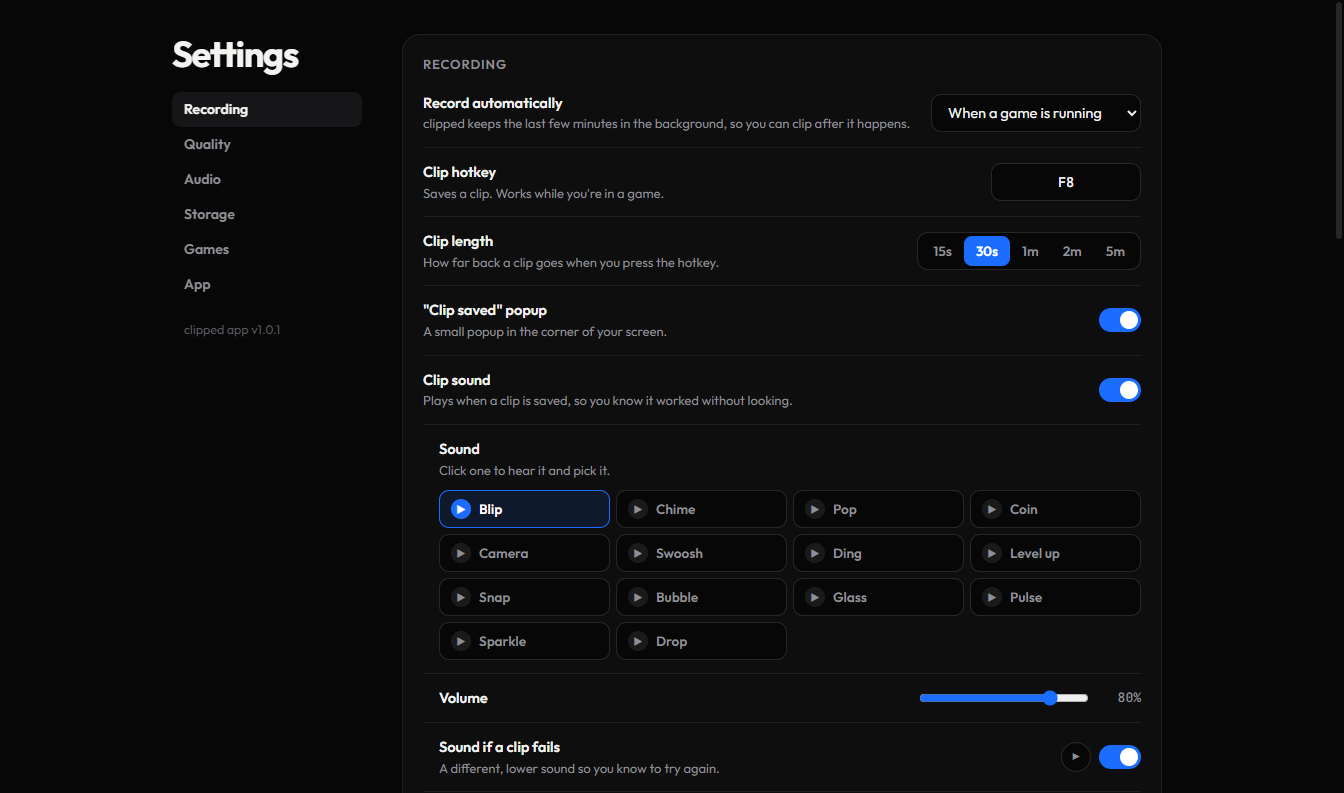
clipped quietly records while you play. Press F8 and the last 30 seconds are saved. Trim it, then paste it straight into Discord.
Everything a clipper should do
No account, no upload queue. It just records, saves and gets out of the way.
Always a step behind you
The last few minutes are always kept, so the clip starts before you even knew it was good.
One key, mid-game
Press F8 (or any key you pick) without leaving the game. A small popup and sound tell you it worked.
Starts with your game
Knows about 40 popular games and starts recording when one opens. Add any other game yourself.
Made to fit Discord
One click shrinks a clip under Discord's 10 MB limit and copies it. Just hit Ctrl+V in any chat.
Trim in seconds
Drag the ends to keep just the good part. Save a trimmed copy or send it as is.
Your clips stay yours
Everything saves to a folder on your PC. You choose the quality, the space it uses and what gets cleaned up.
Set up in a minute
Install it
Download clipped and run the installer.
It's new, so Windows may say it doesn't recognise the app. Click More info, then Run anyway.Open a game
clipped notices and starts recording in the background. It sits in your tray by the clock.
Press F8
Your clip is saved. Open clipped, hit Copy for Discord, and paste it to your friends.